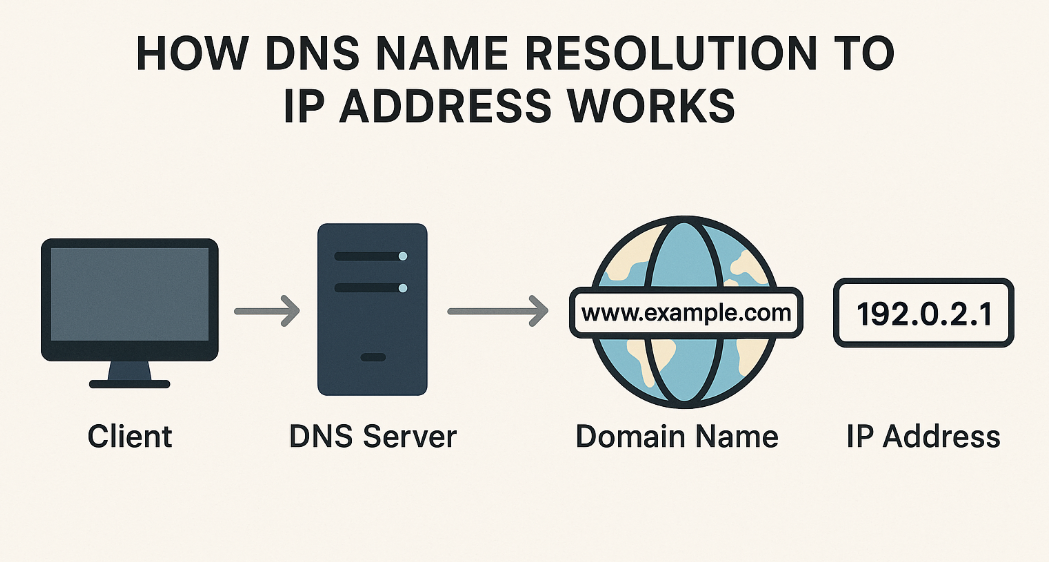
When you type google.com into your browser, the website loads in milliseconds. But behind the scenes, your computer performs a DNS resolution process to find the exact server where that website lives.
This process happens in layers, starting from the root of the internet and ending at the exact server hosting the website.
Let’s break it down step by step.
What is DNS and Why Name Resolution Exists
DNS (Domain Name System) is the phonebook of the internet. It translates human-friendly domain names like:
google.com
into machine-friendly IP addresses like:
142.250.183.14
Computers communicate using IP addresses, not names. Humans prefer names, not numbers.
So DNS exists to solve one simple problem:
Convert domain names into IP addresses so computers can communicate.
This conversion process is called DNS resolution.
What Is DNS Resolution?
DNS resolution is the process of finding the IP address for a domain.
It happens in layers, not all at once.
We can represent DNS by two words, “delegation” and “decentralization,” which mean it directs its work to others.
The main players are:
Root Name Servers
TLD (Top Level Domain) Name Servers
Authoritative Name Servers
The Hidden Middleman: Recursive Resolver
Before we use tools, you need to understand one key component:
Recursive Resolver
This is a DNS server provided by:
Your ISP (Internet Service Provider), or
Public DNS like Google DNS (8.8.8.8), or
Cloudflare DNS (1.1.1.1)
Its job is to find the IP address for you.
Instead of your computer asking every DNS server directly, the recursive resolver does the work and returns the final answer.
Think of it like a librarian who finds a book for you.
Introducing the dig Command
The dig command (Domain Information Groper) is a diagnostic tool used to inspect DNS resolution.
It lets you manually query DNS servers and see how DNS works behind the scenes.
Example:
dig google.com
This shows:
IP address of google.com
DNS servers involved
Query time
DNS hierarchy information
Engineers use dig to:
Debug DNS issues
Understand DNS resolution
Inspect DNS records
Verify DNS configuration
DNS Resolution Happens in Layers
DNS works in a hierarchy with three main layers:
Root Servers
   ↓
TLD Servers (.com, .org, .net)
   ↓
Authoritative Servers (google.com)
   ↓
Final IP address
Let’s explore each layer using dig.
Step 1: Root Name Servers
Run this command:
dig . NS
This asks:
Who manages the root of the internet?
Example output:
.       518400  IN  NS  a.root-servers.net.
.       518400  IN  NS  b.root-servers.net.
.       518400  IN  NS  c.root-servers.net.
These are the root name servers.
They are the top level of DNS.
They do not know the IP address of google.com directly.
What they do know is where to find .com or .orgor .net
They basically say:
“I don’t know google.com, but I know who manages
.com.”
There are 13 logical root servers (A–M), distributed globally.
Think of root servers like:
Main directory of the internet
They point to TLD servers.
Step 2: TLD Name Servers (.com)
Run this command:
dig com NS
This asks:
Who manages all .com domains?
Example output:
com.    172800  IN  NS  a.gtld-servers.net.
com.    172800  IN  NS  b.gtld-servers.net.
These are TLD (Top Level Domain) servers.
They manage domains like:
google.com
facebook.com
amazon.com
They don’t know google.com’s IP directly.
But they know which servers manage google.com.
TLD servers manage domain extensions like .com , .in and .org
They say:
“I don’t know the IP, but I know the authoritative server for google.com.”
Think of TLD servers like:
.com department in the internet directory
Step 3: Authoritative Name Servers
Run this command:
dig google.com NS
This asks:
Which servers have the actual DNS records for google.com?
Example output:
google.com.  21600  IN  NS  ns1.google.com.
google.com.  21600  IN  NS  ns2.google.com.
google.com.  21600  IN  NS  ns3.google.com.
google.com.  21600  IN  NS  ns4.google.com.
These are the authoritative name servers.
These servers actually know the IP address.
They store DNS records (which I will talk about in more detail in the next blog), like
A (IPv4 address)
AAAA (IPv6 address)
MX (mail servers)
NS (name servers)
When you reach the authoritative server, you finally get: google.com → IP address
They contain the real DNS records like:
google.com → 142.250.183.14
They are the final source of truth.
Step 4: Full DNS Resolution
Now run:
dig google.com
Example output:
google.com. 300 IN A 142.250.183.14
This shows the final IP address.
Behind the scenes, the resolver performed these steps:
Recursive Resolver
       ↓
Root Server
       ↓
TLD Server (.com)
       ↓
Authoritative Server (google.com)
       ↓
IP Address returned
Complete DNS Resolution Flow (Real-World Example)
When you type google.com in your browser:
Step 1: Browser checks local cache
If found → done
If not → continue
Step 2: Browser asks Recursive Resolver
Example:
Where is google.com?
Step 3: Resolver asks Root Server
Root server replies:
Ask .com TLD servers
Step 4: Resolver asks TLD Server
TLD replies:
Ask google.com's authoritative servers
Step 5: Resolver asks Authoritative Server
Authoritative server replies:
google.com = 142.250.183.14
Step 6: Resolver returns IP to browser
Browser connects to server.
Website loads.
Visual Hierarchy Diagram

How Recursive Resolver Uses This Information
The recursive resolver:
Queries root server
Then TLD server
Then authoritative server
Gets IP address
Returns it to your computer
Caches result for future use
Next time, resolution is faster.
Mapping dig Commands to DNS Resolution Stages
| Command | What it shows | DNS Layer |
|---|---|---|
| dig . NS | Root servers | Root layer |
| dig com NS | .com servers | TLD layer |
| dig google.com NS | google.com's DNS servers | Authoritative layer |
| dig google.com | Final IP address | Final resolution |
How This Connects to Your Browser
When you open a website:

This entire process takes: 20 - 100 milliseconds.
Why This Matters for Engineers
Understanding DNS resolution helps you:
Debug website issues
Fix DNS configuration problems
Understand internet infrastructure
Design scalable systems
Troubleshoot production issues
DNS is a fundamental building block of the internet.
Final Conclusion
DNS resolution is the process of converting a domain name into an IP address using a hierarchical lookup system involving:
Root servers
TLD servers
Authoritative servers
Recursive resolvers
Tools like dig help engineers inspect and understand this process.
Without DNS resolution, browsers would not know where websites live.
Comments
Join the discussionNo comments yet. Be the first to comment.

