
When you open a website, send a message, or use an app, your request travels through multiple network devices before reaching a server.
These devices each have a specific job.
Understanding them helps you understand how real systems work — especially if you are building backend applications or deploying production systems.
Let’s start from the beginning.
High-Level View: How the Internet Reaches You
A typical network flow looks like this:
In production systems, you also have:
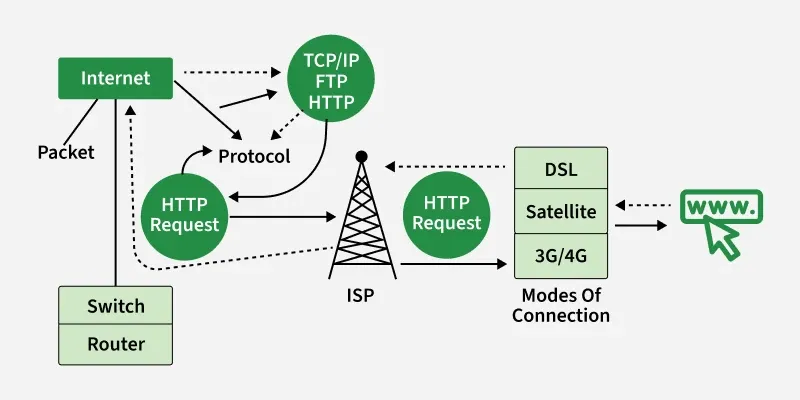
Each device has a specific responsibility.
1. What is a Modem?
Definition
A modem connects your network to your Internet Service Provider (ISP).
The word modem means:
Modulator + Demodulator
It converts signals between your ISP and your local network.
Modem is also known as Modulator-Demodulator
Why it exists
Your ISP sends internet data through cable, fiber, or DSL.
Your computer cannot directly understand those signals.
The modem converts ISP signals into usable network data.
Simple analogy
Think of the modem as a translator between:
• Your ISP's language
• Your network's language
Responsibility
The modem’s job is simple:
• Connect your home or office to the internet
It does NOT manage devices.
It only connects you to the ISP.
2. What is a Router?
Definition
A router directs traffic between different networks.
It connects:
• Your local network
• The internet
Router connects multiple networks (e.g., your Home LAN to the Internet WAN).
What it actually does
When your laptop requests google.com:
The router decides:
"Where should I send this request?"
It sends it to the modem → internet → server.
When the response comes back, the router sends it to the correct device.
Analogy: Traffic police
The router is like traffic police directing vehicles.
It ensures data reaches the correct destination.
Router responsibilities
• Connect multiple devices
• Assign local IP addresses
• Route traffic to internet
• Route traffic inside network
3. Hub vs Switch: How Local Networks Work
Both connect multiple devices.
But they behave very differently.
What is a Hub?
A central connection point for devices in a LAN.
It takes an incoming signal on one port and blindly broadcasts it to all other ports. It does not know who the recipient is. Which is also a major drawback of using hubs.
A hub sends data to ALL devices.
Example:
Device A sends data → hub sends to B, C, D, everyone.
Even devices that don’t need it receive it.
Problem with hubs
• Slow
• Inefficient
• Causes network congestion
What is a Switch?
The Switch connects devices in a LAN (Local Area Network).
Unlike a Hub, a Switch learns the MAC address of every connected device. It sends data only to the specific port where the destination device is connected.
Benefit: Reduces collisions and improves security and speed.
Types
Unmanaged: Plug-and-play (Home/Small Office).
Managed: Configurable (VLANs, QoS) for enterprise use.
A switch sends data ONLY to the correct device.
Example:
Device A sends data → switch sends only to Device B.
Not to everyone.
Why switch is better
Switch knows device addresses.
It sends data only where needed.The switch does not broadcast the message.
Hub vs Switch vs Router comparison
Feature | Hub | Switch | Router |
|---|---|---|---|
Layer |
| Layer 2 (Data Link) | Layer 3 (Network) |
Address Type | None (Bits) | MAC Address | IP Address |
Data Flow | Broadcasts (to all devices) | Unicast (to destination) | Route (best path) |
Speed | Slow | Fast | Fastest |
Intelligence | No intelligence | Smart | Smarter |
Used For | Obsolete | Modern standard (LAN) | Connecting Networks (WAN) |
Analogy
Hub = shouting in a room
Switch = calling someone directly
4. What is a Firewall?
Definition
Security guard. Controls incoming and outgoing traffic based on security rules.
A firewall protects your network from unauthorized access.
It controls what traffic is allowed in or out.
Why firewall exists
The internet contains:
• Hackers
• Malicious traffic
• Unauthorized access attempts
Firewall blocks dangerous traffic.
Analogy: Security guard
Firewall is like a security guard at a building entrance.
It checks who can enter and who cannot.
Firewall responsibilities
• Block malicious traffic
• Allow safe traffic
• Enforce security rules
5. What is a Load Balancer?
Definition
A load balancer distributes incoming traffic across multiple servers.
Why load balancer exists
Imagine one server handling 1 million users.
It will crash.
Instead, use multiple servers.
Load balancer distributes traffic.
Example
Instead of:
User → Server 1 (overloaded)
Use:
User → Load Balancer
      → Server 1
      → Server 2
      → Server 3
Traffic is distributed evenly.
Analogy: Toll booth
Cars arriving at toll plaza:
Toll booth directs cars to different lanes.
Prevents congestion.
Load balancer responsibilities
• Distribute traffic
• Prevent server overload
• Improve reliability
• Improve scalability
How All Devices Work Together
Complete flow:
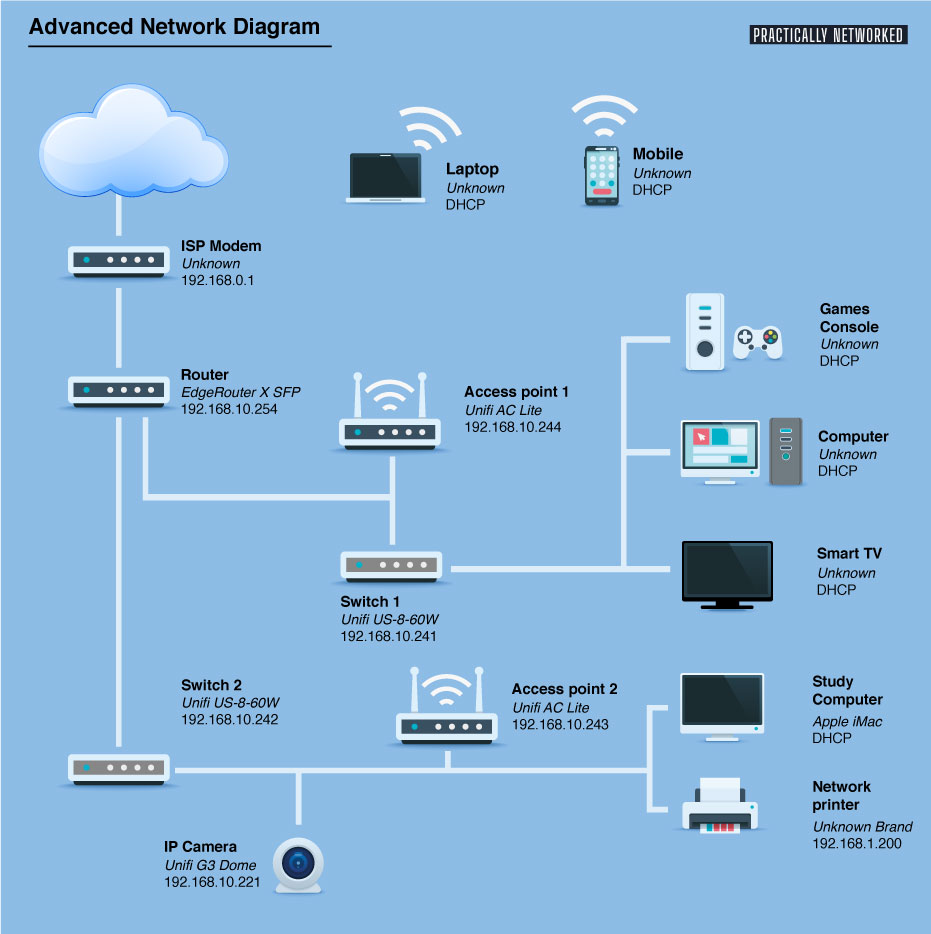
In between the modem and server there is layers of firewall(checks request) and load balancer (to distribute traffic).
Real-World Home Network Architecture

Real-World Production Architecture
Internet
   ↓
Firewall
   ↓
Load Balancer
   ↓
Application Servers
   ↓
Database Servers
Why Software Engineers Must Understand This
Even if you write code, your application runs on networks.
Understanding this helps with:
• Backend deployment
• Debugging network issues
• Scaling systems
• Understanding cloud architecture
• Production system design
Cloud services like Amazon Web Services, Google Cloud, and Microsoft Azure use these same concepts internally.
Complete Mental Model
Think of it like a building:
Device | Role |
|---|---|
Modem | Connects building to outside world |
Router | Directs traffic inside building |
Switch | Connects rooms efficiently |
Firewall | Security guard |
Load balancer | Distributes workload |
Conclusion
The modem connects you to the internet, the router directs traffic, the switch connects devices efficiently, the firewall protects your network, and the load balancer distributes traffic to ensure scalable and reliable systems.
Comments
Join the discussionNo comments yet. Be the first to comment.

